TEXTILES_00068_Nature’s Abound_2022

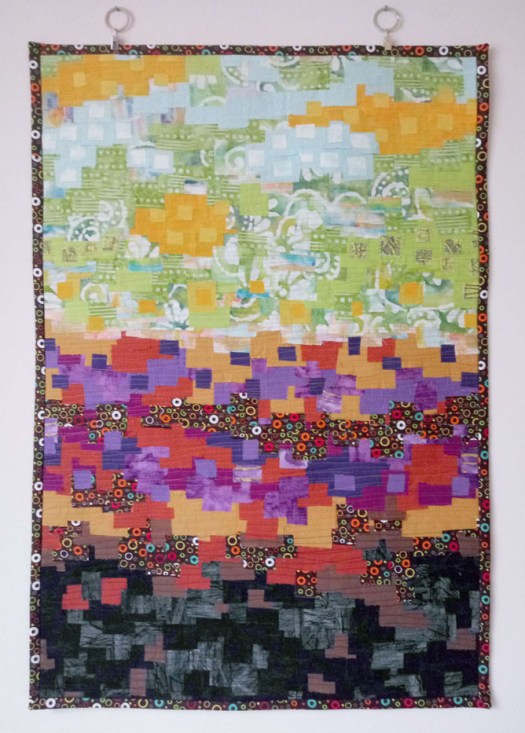
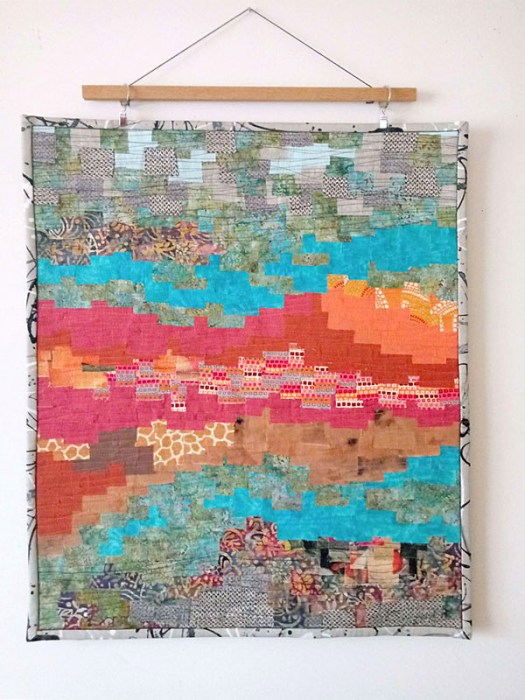
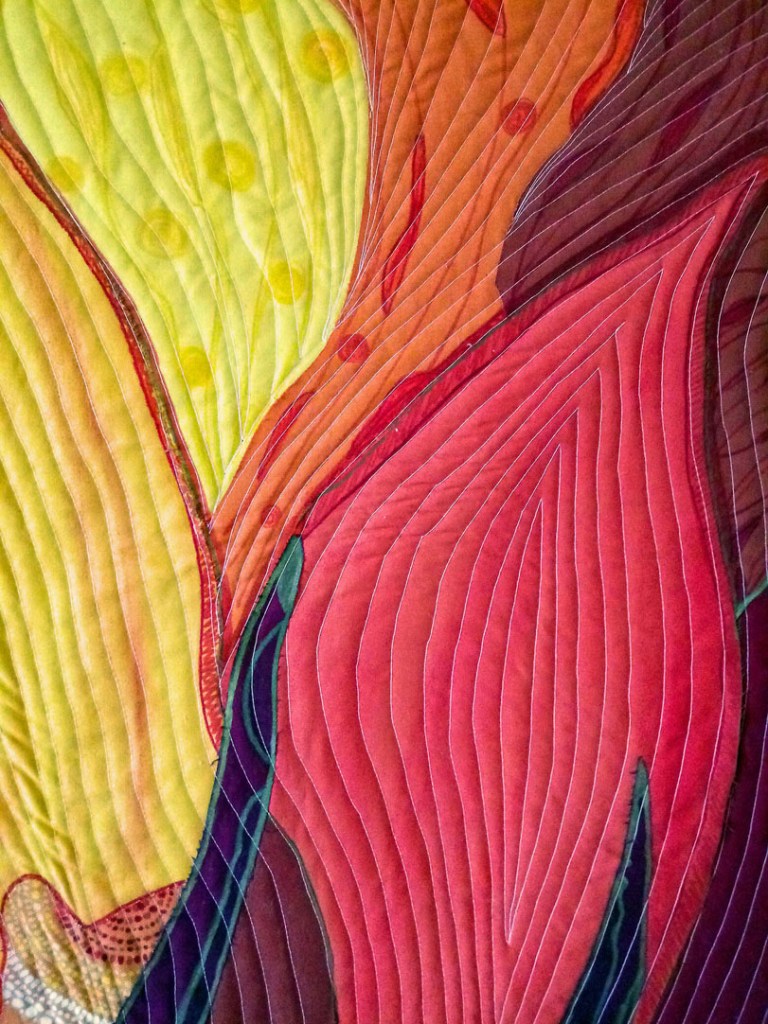
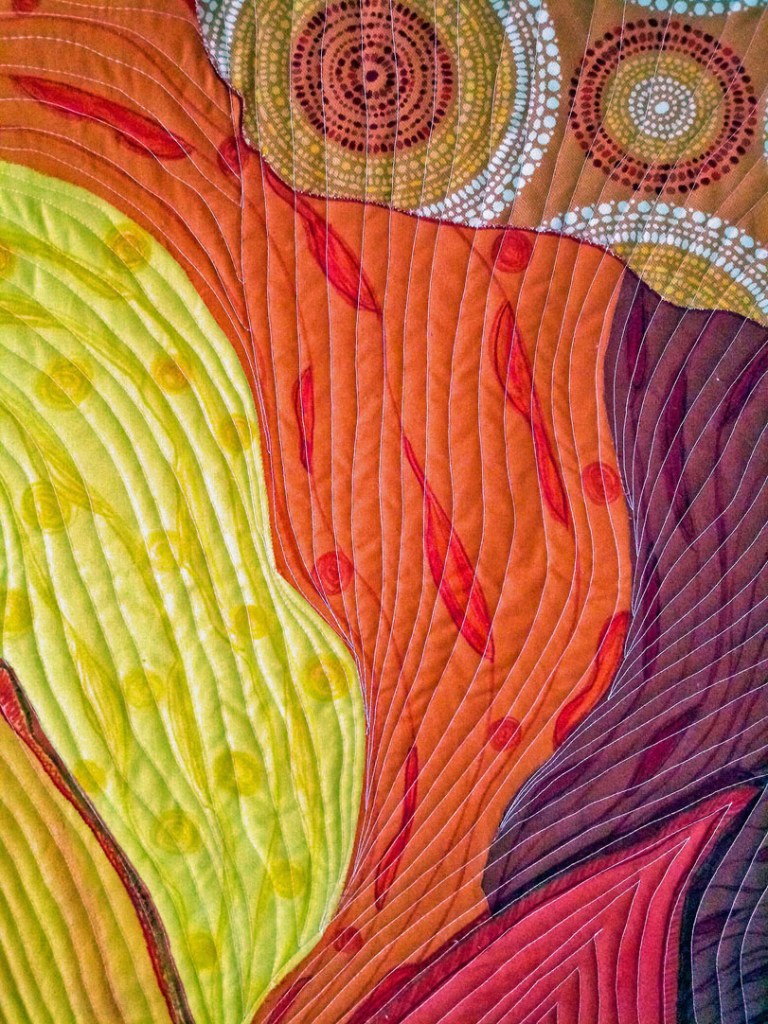
Nature’s Abound
MOSAICS Series
26″-w x 34″-h
Abstract design; mosaics
2022
QUILTS, 2023, mosaics, various colors, patterns

Artist Statement:

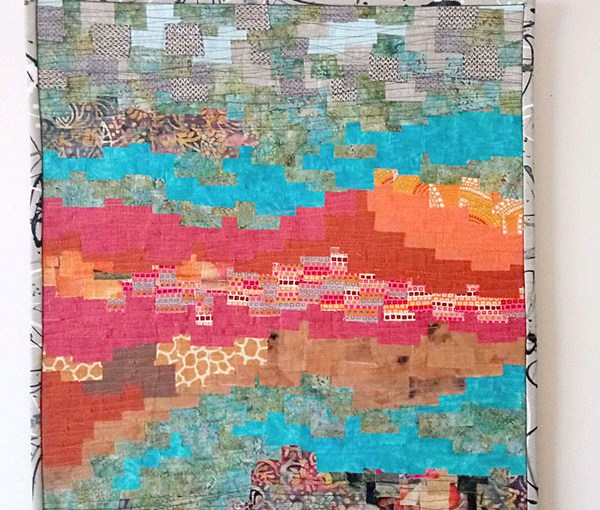
This mosaic quilt is representative of the vibrancy, evolution and activity in nature throughout the seasons.


Process

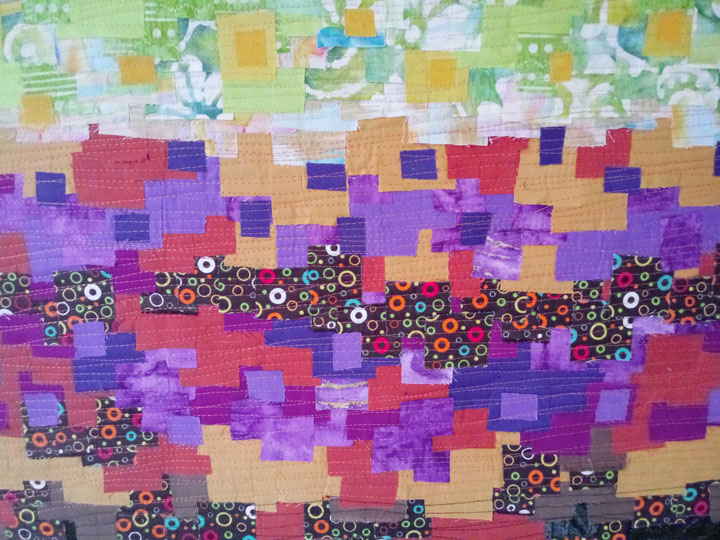
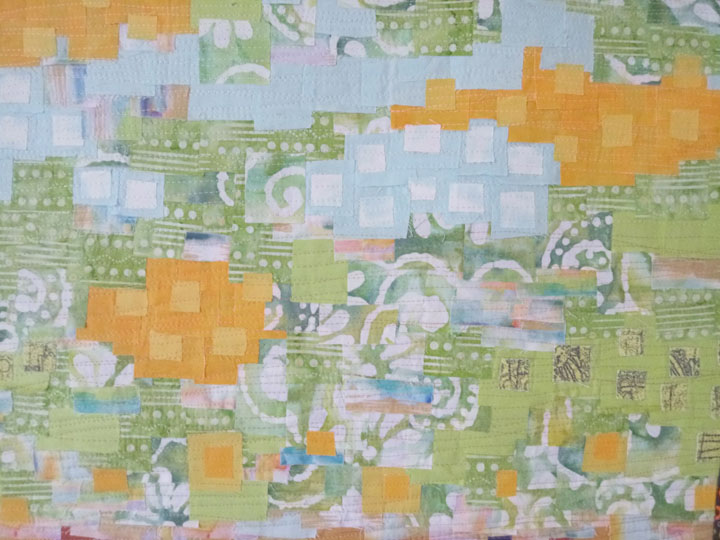
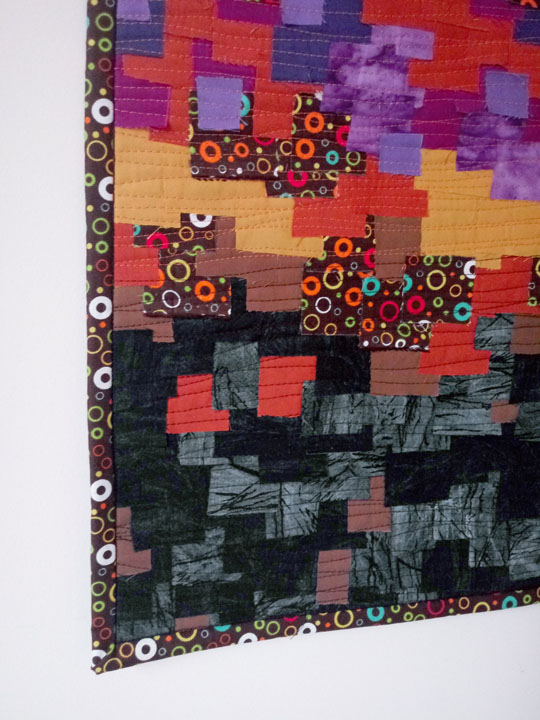
This quilt uses 27 different pieces of fabric – commercial cottons, raw silks, and my own digital fabric. Pieces are cut leaving raw edges and then carefully positioned on a whole piece of interfacing to form the mosaic top. The quilt sandwich is the mosaic top, organic acrylic felt and backing cotton fabric. The sandwich is sewn together using cotton thread and then binded with mitered corners.

Details

TEXTILES_00067_Seasons_2022

Seasons
MOSAICS Series
26″-w x 34″-h
Abstract design; mosaics
2023
QUILTS, 2022, mosaics, various colors, patterns

Artist Statement

Inspired by Like Vivaldi’s Four Seasons. Through abstract representation, this quilt explores the spirit of each season from an emotional level, from bottom to top and back around.

  • Winter (cold hibernation)
  • Fall (a bit of time for grounding)
  • Spring (head in the clouds)
  • Summer (warm, connected to Mother Earth)
  • Spring (head in the clouds)
  • Fall (a bit of time for grounding)
  • Winter (cold hibernation)

Process

This quilt uses 20 different pieces of fabric – commercial cottons, raw silks, upholstery and my own hand-dyed and digital fabric. Pieces are cut leaving raw edges and then carefully positioned on a whole piece of interfacing to form the mosaic top. The quilt sandwich is the mosaic top, organic acrylic felt and backing cotton fabric. The sandwich is sewn together using cotton thread and then binded with mitered corners.


TEXTILES_00056_Rise Up!_2020

Rise Up!
FUSED Series
fused, whole cloth
16-1/2″w x 27-3/4″h
2020
QUILTS, 2020, fused, whole cloth, red, orange, black, white
 

Artist Statement:

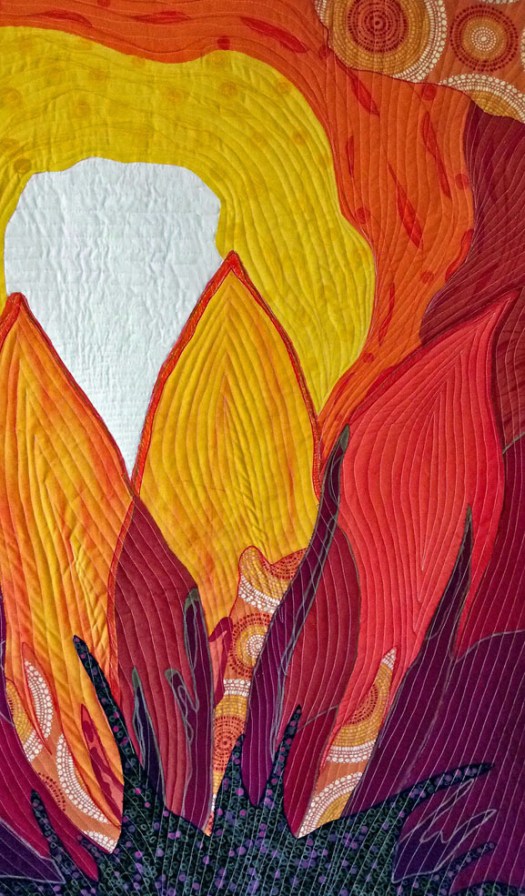
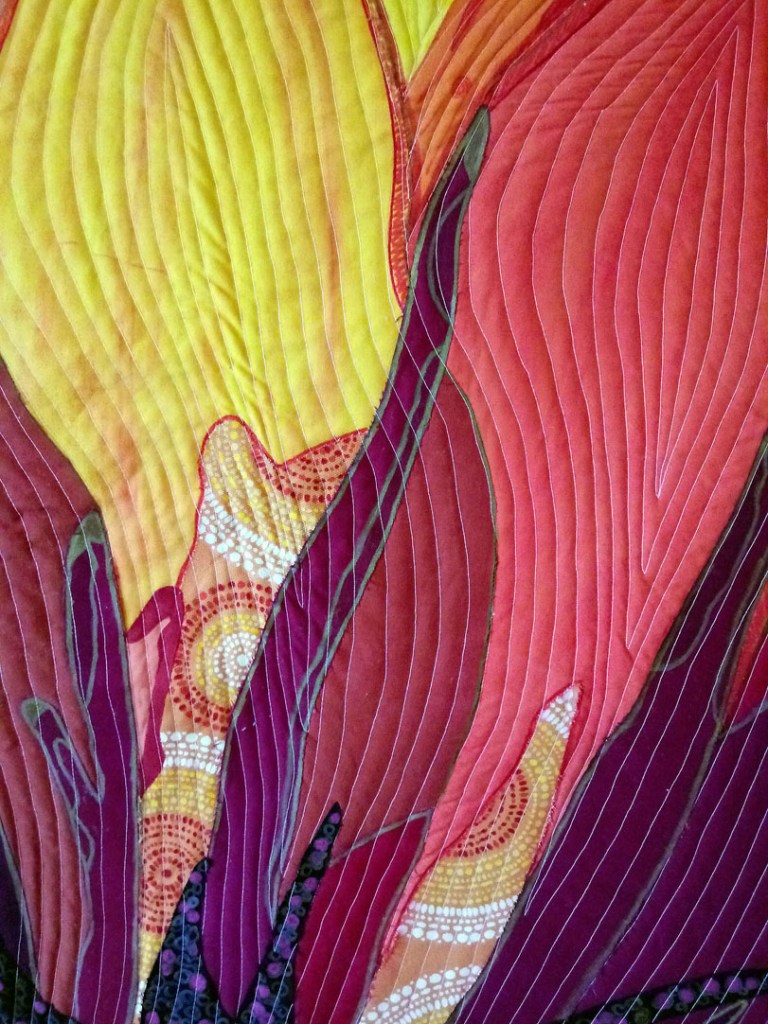
When you look at a flower head on, the leaves flow out from the center. But if you look the flower from the bottom then the leaves flow out and up from the center. Thus the name Rise Up!. This quilt is hand-painted with Derwent dye blocks and drawn on with fabric-marked Kona cottons. Making this soulful floral quilt was always in the plan. Unlike other quilters, I’ve waited a long time to do florals; always waiting for that unique way of looking at a subject that so many have looked at and covered. Rise Up! is appropriate for these times as we seek new looks, new perspectives to disappointingly familiar scenarios. Constantly creating, praying and rising up to elevate myself and the world around me.


Details

[INSPIRATION] PEOPLE – Abstract Expressionism – Norman Lewis (1909 – 1979)

making aesthetically beautiful work made a valuable contribution 
to society and culture

Artist BioIMAGE_norman-lewis

Norman Lewis (1909 – 1979) was technically the first African-American abstract expressionist painter and teacher.

He lived in Harlem all of his life and was born to Bermudian parents.  Lewis maintained studio space at the Harlem Art Center and participated (along with Jackson Pollock) in  art projects for the Works Progress Administration or WPA. The WPA was a massive effort in the 1930’s under FDR’s New Deal agency to put unemployed people back to work.


Artist Statement

Norman started painting mostly figurative art about the plight of Blacks in America with subjects like the bread lines of the poor and police brutality. Then, in the ’50’s, he switched to a more abstract style that celebrated the aesthetics of art. He often felt pressured to make works that reflected the plight of the Blacks in America. He felt that his goal of making aesthetically beautiful work made a valuable contribution to society and culture.


Most Famous Works

His most famous work is Migrating Birds which received the Carnegie International Award from the Carnegie Museum. Norman Lewis was the first African-American to receive such an award. A New York Herald-Tribune writer stated that the artwork was the most significant event in the field art for that year.

Below left is The Yellow Hat (1936); Below right is Migrating Birds (1953)


Famous Quote

“…the goal of the artist must be aesthetic development, and in a universal sense, to make in his own way some contribution to culture.” (Norman Lewis)


Norman Lewis Retrospective

I’m so pleased to be able to attend the first comprehensive museum exhibit on Norman Lewis’ work by the Philadelphia Academy of Fine Art at the end of March. The exhibit goes on until April 3rd so I plan to just make it. Afterwards, it will travel to Amon Carter Museum in Fort Worth, Texas and then onto Chicago, Illinois.

UPDATE
IMAGE_procession

Last week I received the exhibition catalog from the PAFA (Philadelphia Academy of Fine Arts) show of Norman Lewis. It is a wonderfully detailed, well-written book that is a whopping 288 pages. The art pieces are in full color and many cover a full page!

In reading and researching the wonderful tidbits, I’ve learned that Norman Lewis actually had an estimated 2,500 works. In addition to paintings, sculpture and drawings, he also completed some quilts! Impressive. He was a true artistic spirit…willing to experiment with many different mediums.

What Inspires Me About Norman Lewis

I completely connect with his sentiment in making beautiful art in that I,
too, make "beautiful" work. Even though I strive to make soulful abstracts; 
over the years, I've often felt that I needed to make work that spoke to 
the problems in our society. I see many other quilters and painters doing 
that and have often felt guilty for not saying something "more 
substantial". Deep down, I feel that every artist makes a contribution. 
That is the beauty of art. Everyone has something to contribute. So, the 
beautiful scenes of Water Lillies by Monet are just as important as the 
Last Supper by Leonardo da Vinci. - Angela
Resources

[ARTICLE] DSDLAB Tutorial 1.1 – How to Create Mosaic Textures in Photoshop

DSDLAB Tutorial 1.1 – How to Create Mosaic Textures in Photoshop

Mosaic textures are a great way to add a gridded, 3D effect onto your digital designs. I recently tried this effect on an image of a sunflower that I silk painted and subsequently printed as fabric. I think the effect can add depth and interest to any design.

What you’ll need
Photoshop CS or Elements or any graphics program

Tools used in this tutorial
canvas size
texture filters
mosaic tiles
duplicate layer

URL: https://drive.google.com/open?id=1d_oE1PiIz8J2oVH9y2MYQ6IvOCmNYIWO


[ARTICLE] DSDLAB Tutorial 1.2 – Creating Cherry Blossoms Gift Wrap Paper

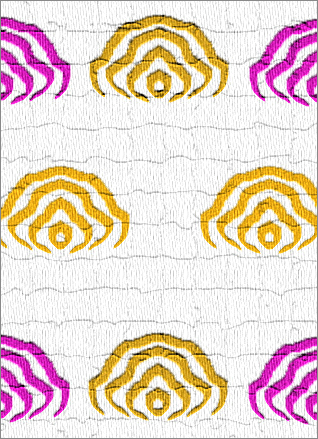
DSDLAB Tutorial 1.2 – Creating Cherry Blossoms Gift Wrap Paper

My love of cherry blossoms inspired me to work it into a gift wrap paper! My idea here was that a line drawing of the cherry blossoms would give me an image that was light, airy and very stylish.

What you’ll need
Photoshop CS or Elements or any graphics program

Tools used in this tutorial
Outline filter
Duplicate layer
Transform – horizontal
Hue, Saturation
Offset filter
Wrap Around

4aafa587c0048fcbde83c735cd447fe8

URL: https://drive.google.com/open?id=1buV0Pe6SjwkcFEZvYjHj6s6eEXtT6jUp

[ARTICLE] DSDLAB Tutorial 1.0 – Creating a Simple Artistic Abstract Background with Fonts

DSDLAB Tutorial 1.0 – Creating a Simple Artistic Abstract Background with Fonts

Digital surface designers are always looking for ways to create antique looking digital images that can be printed on fabric. Here’s just one of the many ways that you can create an antique image with an old-world feel.

What you’ll need
Photoshop CS or Elements or any graphics program

Tools used in this tutorial
fonts
transform
clouds filter
fiber filter
texturizer

URL: https://drive.google.com/open?id=1Efi_wmeQa1ttJrRdWBcUP7iCivQrv1Zz

[ARTICLE] DSDLAB Tutorial 2.0 – Creating a Repeat Image

DSDLAB Tutorial 2.0 – Creating a Repeat Image

When digitally printing an image, oftentimes you need to enlarge the design by repeating it. In this tutorial, you will learn how to expand your images into larger sizes for digital printing.

What you’ll need
Photoshop CS or Elements or any graphics program

Tools used in this tutorial
canvas size
rotate layer
transform layer
duplicate layer
flip layer (horizontal / vertical)
move

URL: https://drive.google.com/open?id=1oM0cxJvvmHfptxrzUPYdfCMF3EOuC23a